How to buy your first player house in World of Warcraft: Midnight
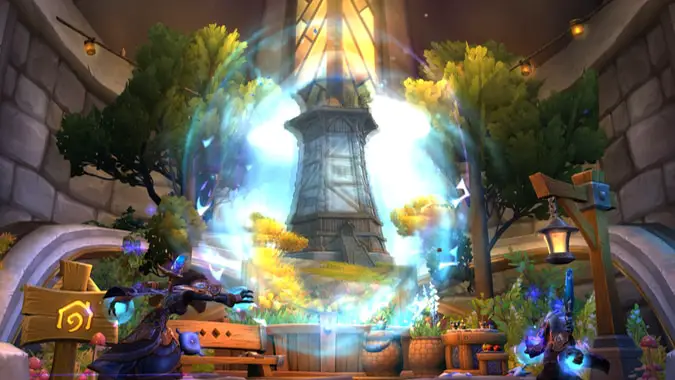
With the release of patch 11.2.7 just before the next World of Warcraft expansion, Midnight, those of us who preordered now get to experience one of the most anticipated features in WoW history: player housing! While in the past we’ve had a lot of questions (and to some extent we still do), but our intrepid explorers have uncovered the basics of how to get to your neighborhood of choice, and how to pick the perfect plot for your future home sweet home.
Let’s take a peek at how to get you into a house!
Welcome to the neighborhood
The first step to unlocking housing, like so many things in WoW, is a quest line. In this case, it’s the quest A House For You, which is automatically presented to you on login. This will lead you to one of the two housing zones, Founder’s Point for the Alliance or Razorwind Shores for the Horde, which is accessible through the extremely fancy portal room in your capital city labeled with a housing portal sign (don’t worry, you’ll get an even more convenient way back there once you have a home!). Following this quest line will have you visiting the various parts of your housing neighborhoods, eventually picking a plot of your own, clicking the cornerstone on the available property, and putting down cash to build yourself a house there.
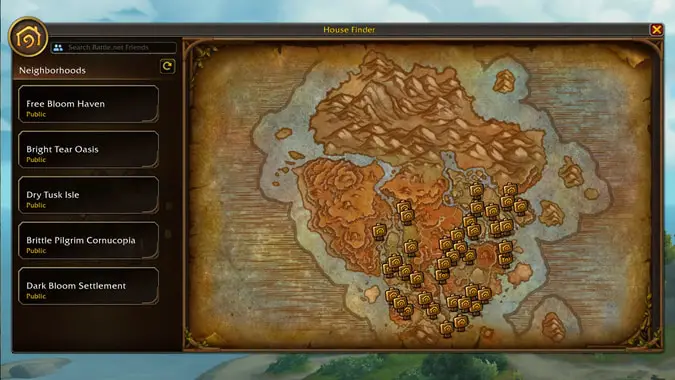
Now, how do you guarantee the one you want is available? In public neighborhoods, that’s as simple as picking a neighborhood where that plot is open. If you know which one you want, but it’s not available in the instance of the public neighborhood you’re in, you’ll want to open up the House Finder, which is found on the Housing Dashboard — a new house icon in the mini-menu, or by talking to the NPC in the center of the neighborhood with the title Steward. You can then browse and find a neighborhood where the home of your dreams is available — marked by a gold icon as shown in the image above — then click to reserve it for yourself for four minutes and teleport you there. That should give you enough time to scout for obnoxious neighbors and to verify that you really do like this view before putting down roots (but remember, it’s just as easy to move houses as it is to build one to begin with).
You’ve got a house — what next?
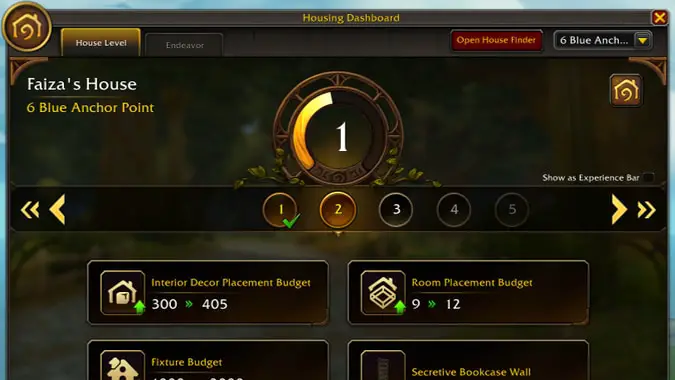
First off, you’ll notice your Housing Dashboard now displays your house’s level, which looks a lot like a Renown tracker, as well as a button in the top-right corner to hearthstone back to your home. This will actually bring up a drop down to pick between your Horde or Alliance neighborhood houses (remember, you can have one of each!) though it defaults to whichever one you went to last.
A fun touch: random NPC locals will actually comment if you’re living in the opposite faction zone. They mostly seem pleasantly surprised, not hostile.
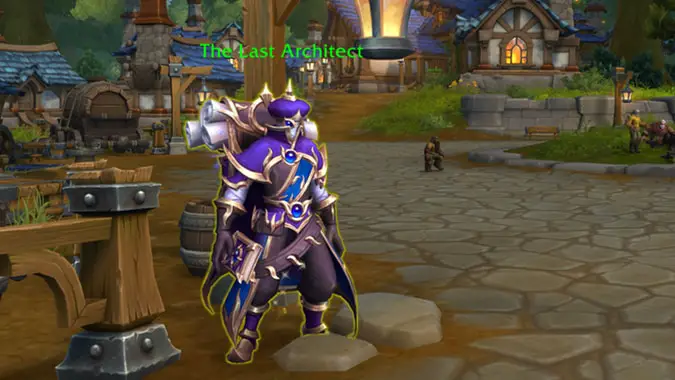
Once you’ve got your house, it’s — what else? — time to decorate! There are decor vendors scattered all over the place, as well as throughout professions of all types and all levels. You’ll probably already have some decor from Achievements or Legion Remix, and if all else fails there’s an Ethereal named The Last Architect who will give you a riddle to find a piece of decor they’ve hidden inside your housing neighborhood. You’ll find that you have a limit on how much decor you can place inside and outside, which can be increased by leveling your house. You level up your house by completing neighborhood events — it’s not something you can strictly grind out.
Nevertheless, once you’ve got it decorated the way you like, feel free to kick back in the house you’ve finally earned, adventurer! And then get back out there and get more decor — or maybe brew up some dyes to color your house the way you like, because transmog is the true endgame, and decor and dyes are just transmog for houses!
Initially published October 7, 2025. Updated December 3, 2025.
Please consider supporting our Patreon!
Join the Discussion
Blizzard Watch is a safe space for all readers. By leaving comments on this site you agree to follow our commenting and community guidelines.







