What’s happening with external lighting and Warcraft player housing?
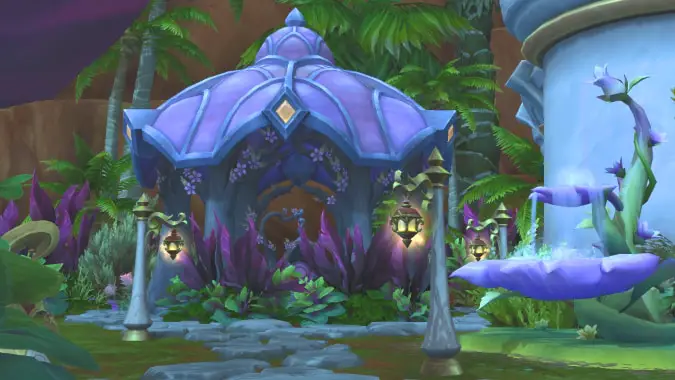
World of Warcraft patch 12.0.5 brought a number of undocumented changes — some intentional, some not. One of the intentional changes was the removal of a significant number of the remaining items that had lighting effects from the list of Decor that could be placed externally. While this caused a lot of dismay in the community, there was a good reason for doing so. A few days later the servers for patch 12.0.7 PTR testing went live, giving us the first look at how exterior lighting will be handled in Player Housing going forward.
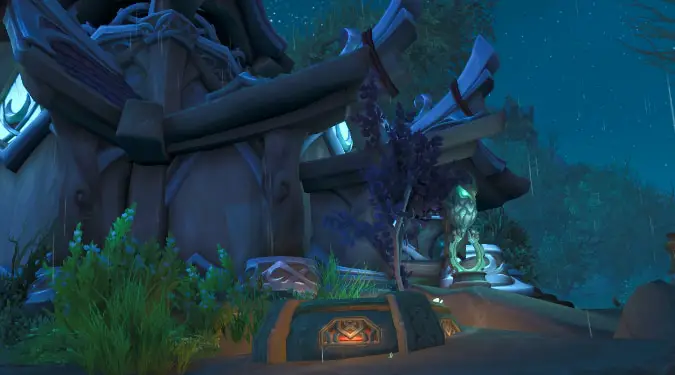
What’s the deal with exterior lighting?
In mid October 2025 we were allowed early access to Player Housing on the PTR servers for two brief periods. During one of these tests a certain well known streamer (you know who you are) built a “fire garden” with dozens of flaming braziers, and used it to demonstrate packing up and moving your house to different plots in the neighborhood. This caused a number of other player’s game clients to grind to a halt and crash. Further testing indicated that something to do with the lighting effects — it’s unclear whether it’s a particle effect or the radiance effect — creates an unreasonable demand on player systems when they try to load in the entire neighborhood.
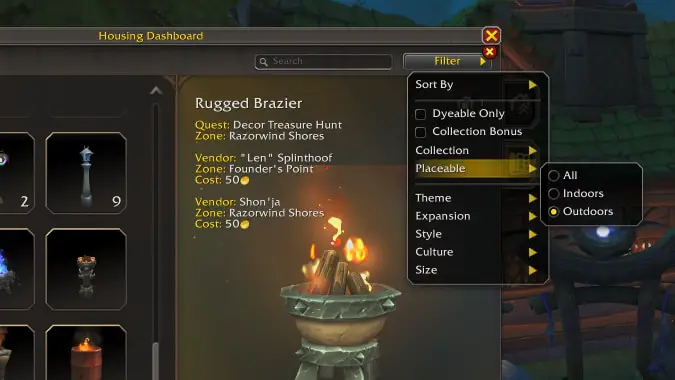
As a temporary fix while they investigated a long term solution, most Decor objects with a lighting effect were set for use inside our houses only. This included a number of street light objects and other items that are aesthetically exterior coded. The initial pass missed a few objects, and additional Decor items have been added into the game since that have lighting glows but were flagged for external use. As players discovered these they were shared around and many builds used at least a handful of these items in their yards.

What changed with patch 12.0.5?
With the release of patch 12.0.5 in mid April 2026, Blizzard did another pass tagging almost all other objects with lighting effects (there are three we have identified that still work) to no longer work externally. If you already have these objects in your yards, you will be unable to reposition, rotate, resize, or place these items again if put away. There were a number of unintended changes that seemed to arise from this tinkering, including the floors internally not saving any appearance customizations and reverting back to their default appearance, as well as not being able to sink walls into the floor or turn them upside-down. Both those unintended issues have since been resolved with hotfixes.
Does this mean there will be no external lighting ever?
In short – no, external lighting is coming back soon.
In a blog post published in February 2026, Blizzard shared with us the following:
In the Midnight alpha, we had to disable exterior lighting due to performance concerns on the client. We’re currently working on a way to re-enable this in a way that remains performant. At the moment, this is taking the form of proximity restrictions so two light sources outside cannot be placed too close to one another (which is where the bulk of the performance impacts come from). This restriction will only exist outdoors and you’ll be free to place all the lights on top of each other indoors like you can today.
Once this is implemented, we’re going to run additional performance tests to see how exterior lights affect performance in a Neighborhood with a lot of players and every plot fully decorated. Assuming these numbers come back favorably, we’ll be increasing the exterior decor limits again as well.
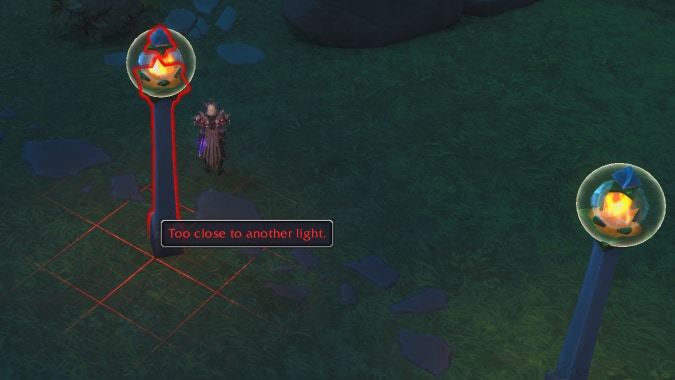
We got to see a first pass of the planned changes when the 12.0.7 PTR build went live last week. From information shared through comments on the WOWKEA and Architects of Azeroth Discord servers, it appears Blizzard is tackling this through two different approaches. The first change is in how the player housing external assets load in game clients as players move around neighborhoods. Instead of loading the entire neighborhood at the same time, it will only load based on proximity and will fade objects in rather than them ‘popping’ into view. The second part of the solution will be putting placement density restrictions on items with lighting effects. Objects with lighting will have a ‘bubble’ around them which has forced collision protection against other lighting bubbles, limiting how closely you can place these to each other. No more fire gardens or stacks of owl statues, but hopefully you will be able to add a path with reasonably placed street lights, or have a couple of candles or a group of string lights next to a food cart.
Future housing changes and PTR
We have been told by Jesse Kurlancheek, the Principal Game Designer and Lead for Player Housing in World of Warcraft, that the current iteration on PTR is not the final state. At present the density rules are quite severe, only allowing for the placement of between four and a dozen lighting assets per plot. We don’t know what the final target state is, but I strongly recommend creating a character on PTR and trying out different permutations of lighting objects and placement and providing feedback on the official forums. I have seen different reports on how closely you can place housing objects and I suspect it may in part be object-dependent. ‘More eyes are better’ with test realms to see what the impacts will be.
Player Housing has been not available in the last few cycles of the PTR functionality, which seems to have resulted in a number of major bugs that were was no easy way to identify for without testing. We have had assurances that things will change in the future. Jesse posted recently to the WOWKEA Discord that, “Lessons have been learned: housing goes on PTR for patches now”.
Please consider supporting our Patreon!
Join the Discussion
Blizzard Watch is a safe space for all readers. By leaving comments on this site you agree to follow our commenting and community guidelines.







