The Queue: Duck picnic day
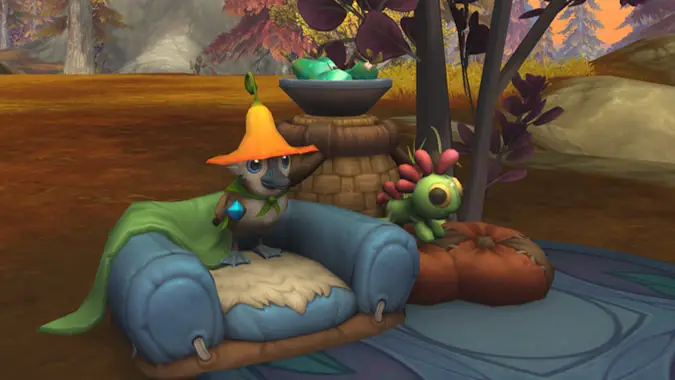
Some days you just need a nice picnic with your duck friend. To sit in the shade and drink some tea and watch the world go by. And why wait until some day when it could be today? Let’s go have a duck picnic.
This is the Queue, our daily Q&A column where we attempt to answer your question and sometimes ducks just show up. Let’s go!
Q4tQ How are you liking patch 12.1 so far?
I haven’t actually had time to get very far into the new content, and I’ve primarily been playing with housing features so far; collecting new items and playing with Blueprints. (It’s extremely distracting.) And I’ve had a bit of an addon meltdown, so a lot of time has gone into troubleshooting and reconfiguring. Both of those take time away from anything you might actually consider to be progression.
And my quest progress is again delayed because I hadn’t actually gotten around to finishing the quests that went out before the patch went live, so I started somewhat behind. Oops. With the speedy patch cycle, sometimes I feel like I’m perpetually behind. I’ll get there eventually.
But servers have been stable… despite what seems to be daily morning maintenance happening… and other than addon problems (which aren’t Blizzard’s fault), I haven’t run into any technical issues. So far so good.
QUESTIONS QUESTIONS QUESTIONS
Qs for the Q. – House Pet edition. Is there a way to tell how many pets we have in our house or outside? It would be nice to know since a lot of my pet beds are HIDDEN. Or is there a lightweight addon that would give me that information? Is there anyway to be able to highlight pet beds in case we need to reduce the number?
If you open your house editor and hit the advanced option, then in the upper right of your screen (next to the decor limit) a new icon will pop up for the Placed Decor List. It won’t let you search or filter for pet beds, but it is sorted alphabetically, and if you mouse over a pet bed object it will tell you what pet is attached to it. Clicking any object will also select that object (but if you’re not in the room with it, it may still be difficult to find).
This could be a little easier to do, and the UI option is rather hidden, but it’s there and should do what you need.
Q4tLizQueue: where would the best place be to set a cozy game in Blizzard’s worlds? Baker or librarian in Dalaran? Moon-based trading post on a low-pop StarCraft world? Graveyard keeper in Sanctuary?
…maybe not that last one
I think World of Warcraft is the only place to set a cozy game. The range of environments is broader than in any other Blizzard titles, and there are spaces in the world that are… maybe? …safe, and where one could focus on things other than fighting or running for their lives. It’s an important part of getting cozy.
I like the idea of a shopkeeper game. There’s a lot of commerce happening in Azeroth. Maybe you could be an auctioneer, with your finger on the pulse of the city’s demands, knowing when to buy and sell. Maybe you’re a repair vendor, opening shops around the world (preferably close to raid entrances) and growing until you can compete with Rendle’s mountain of gold. Maybe you do take the bakery angle, collecting recipes and making breads and pastries.
I think there’s a lot of cozy gaming to be had in Azeroth’s marketplaces.
Trying to figure out my lunch. Would you rather have to eat ramen or curry for 100 days in a row? You can eat different food for the other meals, but one meal has to be ramen or curry for you to win.
Ramen all the way. In fact, when I read this I was thinking about what to have for lunch and boiled some water for ramen. It’s instant ramen, but I toss the seasoning packet and cook it with broth and soy sauce and ginger, and add frozen vegetables and sometimes egg(s). I’ve played with doing peanut butter and making a knock-off peanut sauce, but it I haven’t quite got that down for it to taste right.
Even if it’s not fancy ramen, there are tons of ways to dress it up the way you want and keep it interesting.
That’s all for today friends, so take care of yourselves, have a good afternoon, and I’ll see you in the comments section.
Please consider supporting our Patreon!
Join the Discussion
Blizzard Watch is a safe space for all readers. By leaving comments on this site you agree to follow our commenting and community guidelines.