What to do if you get into the Midnight beta test, now live!
The Midnight beta is now live, and you haven’t gotten in you can sign up right now. As with some previous expansions, the Epic Edition guarantees access to the beta, and all Epic Edition purchases appear to have gotten access as soon as the beta launched: if you haven’t gotten an email about the beta, check your launcher to see if the Midnight beta is listed in the game version dropdown.
But what should you do if you’ve gotten that coveted beta invite?
Firstly, you need to check if the invite is genuine. Blizzard will never send you an email telling you to click on a link to get access. To tell if you’re actually in the beta, your best option is to go to your Battle.net launcher and in the World of Warcraft game menu, under the game version in the Under Development section will be an entry for Midnight beta. It will give you the option to install and launch the game if your account has been flagged for access. If you win an access key though an influencer’s or press promotion, they will send you a license key code to be redeemed through the Blizzard Battle.net account page, via the Redeem Code option.
Do not click on links even if you are expecting a key, and never give your password to a third party.
But if you’re really in the beta test, here are our tips on how to make the most of it.
Remember: Beta is not Early Access
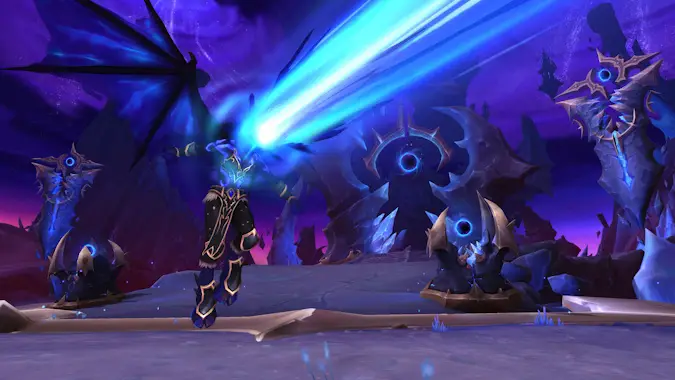
In software development terms, an alpha client is a feature incomplete version. Beta is generally feature complete — more or less, as we know the beta test is still missing some key features — but is expected to have bugs, may have some minor tweaks to how features function, or potentially be unstable. A release candidate is a version of the application which is believed to be in a complete state and could be released into production unless a last minute major bug is discovered.
Both alpha and beta clients are still in active development. The clients may be unstable, features may be turned on and off without warning, there will be bugs and placeholder items or models. The servers can be restarted or taken down without warning, and can be offline for days at a time. The servers can be reset and your progress deleted multiple times during the beta progression. You will sometimes encounter bugs that may mean your account or characters are locked until the bug causing the lock is fixed. There are no Game Masters or Customer Service resources on beta — the expectation is that everyone will behave constructively.
Any progress you make on the beta realms will not be carried over to the retail servers. At the end of the beta period the servers will be closed and you will no longer be able to log into those characters. Early Access, however, is access to the complete game a few days early, and your progress will carry over when the expansion launches. Early Access will only be available to Epic Edition purchasers a few days before the expansion launches.
Reporting bugs in the Midnight beta test
The function of the test realms is to test. If you encounter a bug, please report it — that’s why this beta is happening! This is also the ideal time to offer feedback on features, .
There are several different ways of logging errors and sending in your feedback:
- Client crash – if your game client crashes entirely you should be automatically presents with a crash log dialog box asking you to submit an error report. It will automatically capture information about the error code and the game state at the time of the crash. These dialog boxes will normally give you the option to include a short comment about what you were doing at the time of the crash.
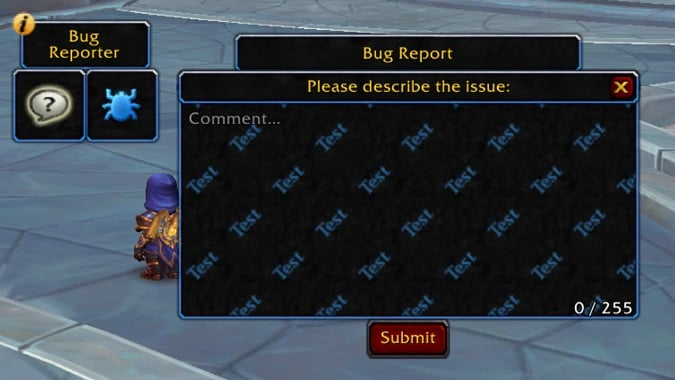
- In game bug reporting tool – any time you are on a test server, Blizzard provides you with a big bug report button which you can freely drag around the screen. This will launch the in game bug reporting tool, it will automatically capture information about your server, character name, current location, class and specialization. It will give you a dialog box with only 255 characters to describe your problem.
- Midnight beta forums – If your account is flagged for beta access you will have the ability to post in the Midnight beta forums which will be located as a sub-board on the In Development Forms. If you encounter a bug that needs more space to explain than you can fit in the in-game bug report form, or if you have identified a workaround to a known issue, post it here. Sometimes the workaround can help pin down the cause of the bug.
I understand that bugs can be frustrating and you just want to play the game, but the entire point of beta is to find bugs and report them so they can be fixed before launch into the live game. Don’t assume that someone else has reported the bug — other people might make the same assumption.
So you got in the beta test; now what?
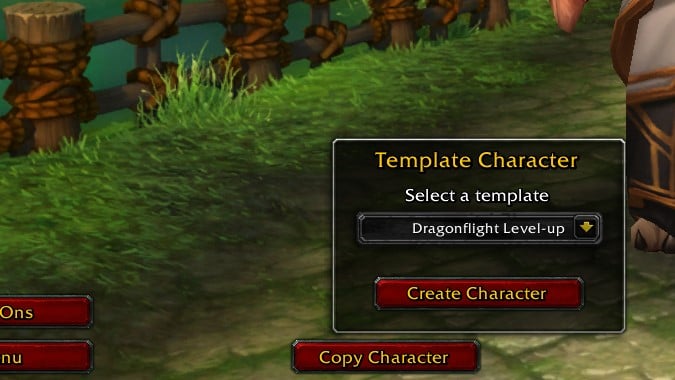
When you first log in, you’ll have to create a character. Currently in the Midnight beta, you can create a level 80 template character which is set up with the gear you need to explore the expansion, or you can copy a character from the live game. Depending on what you choose, different testing paths will be open to you.
However, character copy isn’t always available during testing. At some points you may find character creation limited to creating a new character only, sometimes at specific levels so Blizzard can focus testing. While most people will want to test the new end game content, testing of older content can also be important, so feel free to roll a new low level character to test how the class changes impact leveling. This is particularly important in Midnight as the stat squish can impact how low level characters play and how early game content feels.
If character copy is available, you can copy any existing character from live servers, including your current inventory and equipped items, though it normally doesn’t retain any transmog choices. You can copy a character as many times as you like, but they must all have unique names, and you will be asked to rename the character before logging in the first time.
If you want to copy across your achievements, mount, toy, and pet lists you need to copy across your account data. Note this will then be applied to all characters on the beta servers going forward as this is account-wide data, and you can’t choose to erase this information once copied across. If you plan on testing something that you’ve already done on your account — like getting an achievement or mount that you already have — you need to test them prior to copying this data.
Blizzard may wipe these characters at its discretion, including the account data, but you should have some notice if this happens.
Useful NPC hubs for beta players
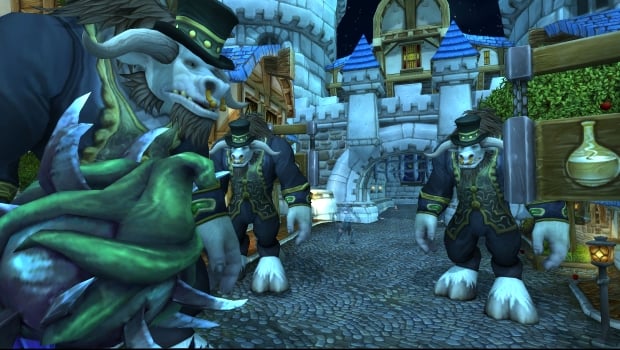
To assist in using test time productively, Blizzard typically provides an NPC hub in both Stormwind and Orgrimmar to provide cheap or free consumables, gear, profession reagents, access to profession trainers, and a teleport to the current questing zones, dungeons, and sometimes other features.
These NPCs are easy to spot: look for the giant Taurens in the middle of Stormwind and Orgrimmar.
Addons and UI customization for beta players
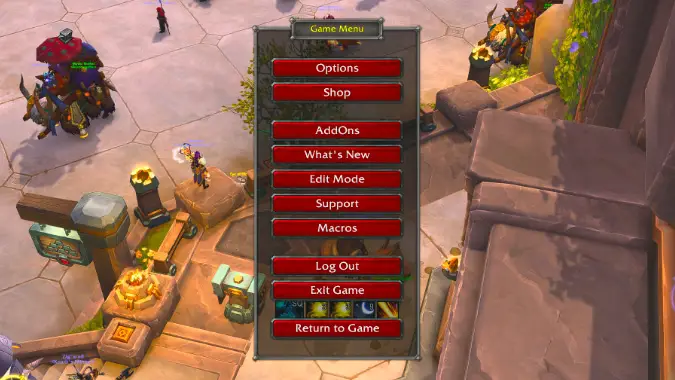
Addons can cause problems in a beta test, particularly since Blizzard has made major API changes that impact addons, and you’re likely to find many current addons don’t work. Blizzard has removed the ability for addons to access combat data, which breaks many addons you might normally use, like DBM and WeakAuras. Here’s a rundown of what’s happening with addons in Midnight.
You may want to limit the number of addons you use in the beta so that it’s easy to tell whether an add-on is causing problems or not when you’re making bug reports, but some macros and tools can be useful when you’re trying to play.
Useful macros for beta testing
Macros will still work and can be useful to work around some issues you may find in game. The Blizzard forums have a couple of helpful posts explaining macro basics and some base templates for common macros.
Here are some macros you may find helpful – note these may need to be tested and updated once we have access to the Midnight client as Blizzard does change the available commands periodically.
Use Extra Action Button — if you want to keybind your extra action button to make it easier to use.
/click ExtraActionButton1
Exit vehicles — sometimes you can get stuck in the vehicle UI, this macro will help.
/script VehicleExit()
Your current location — Get your coordinates and map ID, useful when logging a bug report on the forums or if sharing information about interesting objects or NPCs you have found in game.
/run z = C_Map.GetBestMapForUnit("player"); pos = C_Map.GetPlayerMapPosition(z,"player");
print(C_Map.GetMapInfo(z).name, C_Map.GetBestMapForUnit("player"), math.ceil(pos.x10000)/100, math.ceil(pos.y10000)/100)
Useful addons for beta testing
Blizzard have indicated that they are still going to support addons for the foreseeable future, though combat-related addons have been disabled due to changes in Blizzard’s API and won’t be coming back. A number of addon developers do not currently plan on updating for Midnight due to the extensive changes. But at some point you’ll want to test out what’s working (and what isn’t). I typically keep the number of addons I use on beta to the minimum, but these are some useful addons for testing:
- BugGrabber/BugSack to capture error messages
- TomTom with PasteNG to be able to plot the location of quest objectives or NPCs of note
How to get Early Access to Midnight
Pre-purchasing the Epic Edition gives early access to the expansion, and according to the pre-order page the minimum duration is three days. Actual play time subject to possible outages and applicable time zone differences. Certain endgame features will not be available during Early Access periods — including Endeavors in Player Housing.
Progress during Early Access will carry over to the game once the expansion launches.

Midnight beta testing strategy
Beta access is only for a limited period of time, so it can feel a bit overwhelming. Going into beta with a plan based on your normal playstyle can be helpful. If you like to level alts, then maybe create low level characters and test the newly updated levelling experience. If you like to run instances, then maybe plan to level via instances and leave questing for live. Are you a professions auction house goblin? Then plan to test the heck out of professions. Don’t assume you will get to try everything, and it’s possible that not all test phases will be interesting to you.
If you’re fortunate enough to get access, have fun, but remember that test environments are a shifting sand. They can be unstable and be erased or vanish at any time. And if you are not lucky enough to get chosen, don’t worry — you’ll get plenty of time to play on live when the game launches, and we will do our best to report on what’s coming so you can be prepared to make the most of it.
Originally published September 29, 2025; updated November 12, 2025.
Please consider supporting our Patreon!
Join the Discussion
Blizzard Watch is a safe space for all readers. By leaving comments on this site you agree to follow our commenting and community guidelines.







