How to access the World of Warcraft PTR to test the latest content
 @Kalcheus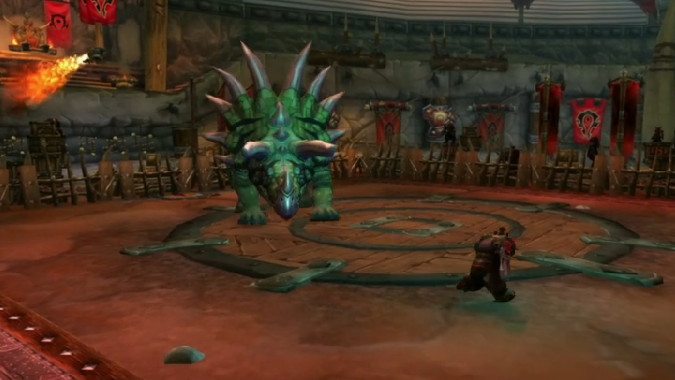
The WoW patch 11.2.7 PTR is online, and though it (again) doesn’t have Player Housing, . After that, expect the PTR to stay online with other patch 11.2.7 features, like the Brawler’s Guild.
If it’s been some time since you’ve last visited the PTR — or you’ve never have done so — so here’s what you need to do to get access to the World of Warcraft PTR test the latest features for yourself!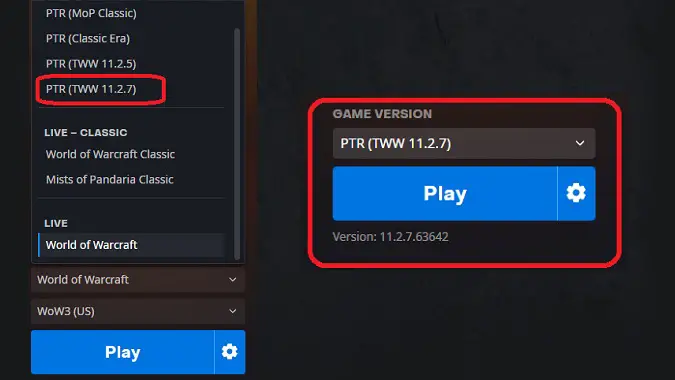
How to install and launch the PTR client
The first place you’ll want to want to check is your Battle.net launcher. In the Game Version dropdown above the “Play” button, if you’ve already added the PTR to your account you’ll see two options in the menu: PTR (TWW 11.2.5) and PTR (TWW 11.2.7). That’s right: WoW’s release cycle has sped up enough since Shadowlands that they maintain two active PTRs. The Player Housing testing will take place in PTR (TWW 11.2.7) so you don’t need to worry about the 11.2.5 client.
If you haven’t used the PTR recently the blue button will say Install — click the button to start the process. PTR clients share data with your WoW account so you’ll want to be sure it’s installed in the same home as the live game otherwise you’ll have many more gigabytes of data to download. Once the install has finished you’ll just hit the Play button to launch the PTR client; note that settings such as graphics and audio don’t carry over between clients so you’ll need to adjust those on the PTR to match your desired screen resolution and format.
As a test environment the, PTR isn’t always available. When you launch it you may find the servers are down or that they’re marked as “Incompatible.” The latter option typically occurs when the server version requires a client update; click the little gear next to the Play button and choose Check for Updates. It may not find any in which case the PTR is unavailable or there are issues that may require you to check the official forums for status and fixes.
How to add a PTR account to your Battle.net account
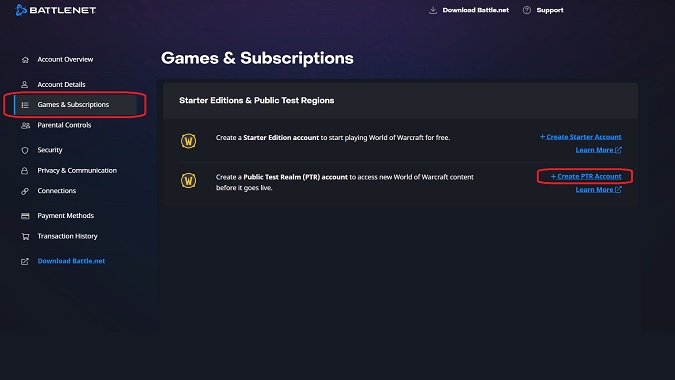
What if you check the list of clients and the PTR isn’t there? In that case, head to your Battle.net account page. You can access it via the Account Settings menu option on the B.net Browser or by going to https://account.battle.net to login and check (note that this link may not work for all regions so you should go to your regional World of Warcraft page to access your account).
Once you’re in your account you’ll want to go to the Games and Subscriptions option and then scroll down to the Starter Editions and Public Test Regions section of the page. There is an option there to Create PTR Account on the right side of the screen. Select it in order to add a PTR option to your Battle.net account. Restart your B.net Browser and you should be able to install and launch the PTR client now.
What to do now that you’ve successfully entered the PTR
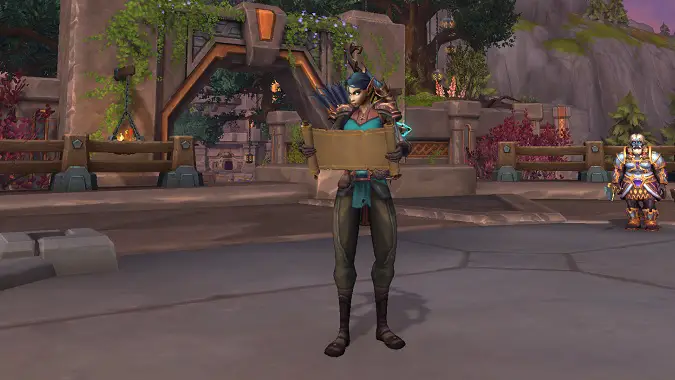
Now that you’re in the PTR, the first thing you should do — if it’s available — is Copy Account Data and Copy your main character over to the PTR. This will get as much of your Warband data as possible into the PTR client. However, it’s important to note that this process is flaky even at the best of times so you may not have everything you would expect to have on Live, so don’t panic if an Achievement that rewards Housing Decor isn’t marked complete on the PTR. If character copy isn’t available you’ll need to create a “template” max level character in order to test housing unless they make it available to level characters level 10 and below. (Blizzard has suggested it will be available early, but has said mixed things about how early, so it’s possible it will only be available after completing Exile’s Reach.)
The Player Housing testing will likely be extremely buggy so be patient. It is currently expected that the entire housing framework will be available for testing so be sure to work on your house both inside and outside.
While the PTR is currently scheduled to be open for Player Housing testing from Monday, October 13 at 11:00 am PDT through Thursday, October 16 at 11:00 am PDT, but Blizzard has delayed the launch (and may delay the end date as a result). We don’t currently know when the PTR will be available, but we’ll update you when we know more.
Originally published October 13, 2025; updated October 30, 2025.
Please consider supporting our Patreon!
Join the Discussion
Blizzard Watch is a safe space for all readers. By leaving comments on this site you agree to follow our commenting and community guidelines.







